
Microsoft Fabric vs Databricks at a glance
| Dimension | Microsoft Fabric | Databricks |
|---|---|---|
| Delivery model | Software as a service: Microsoft runs the platform. | Platform as a service in your cloud account, with serverless options. |
| Clouds | Runs on Azure; shortcuts read data in Amazon S3 and other stores. | Runs on AWS, Azure and Google Cloud. |
| Storage | OneLake, one per tenant, Delta Parquet or Iceberg. | Your own object storage, Delta Lake with Iceberg interoperability. |
| Engineering | Data Factory pipelines, Spark notebooks, dataflows. | Spark with deep tuning control, declarative pipelines, jobs. |
| SQL warehouse | T-SQL warehouse and SQL endpoints over the lake. | Databricks SQL warehouses over the lake. |
| Power BI | Built in: Direct Lake reads OneLake without import. | Connected: Power BI reads through a connector, or via Fabric mirroring. |
| Machine learning | Notebooks and model training next to the data. | The deeper toolset: MLflow, feature management, model serving. |
| Governance | OneLake security, Microsoft Purview, sensitivity labels. | Unity Catalog, consistent across clouds. |
| Cost model | One capacity of compute units shared by every workload. | Consumption in DBUs per workload, plus cloud infrastructure. |
Where Microsoft Fabric is the better answer
Fabric wins when the organisation already runs on Microsoft 365 and Azure, Power BI is how most people consume data, and the data team is small enough that running one managed platform matters more than tuning one. The deciding advantage is Power BI: Direct Lake reads Delta tables in OneLake without an import copy or a refresh window.
Licensing reinforces it. On an F64 or larger capacity, colleagues with only a free licence can read Power BI reports, and the same capacity runs pipelines, the warehouse and notebooks. An organisation already paying for Power BI Premium P1 is being moved to an F64 anyway, so the engineering workloads arrive in a capacity it already buys.
Fabric is also the simpler governance story inside a Microsoft estate: Entra ID, Purview, sensitivity labels and OneLake security roles that apply across SQL, Spark and Power BI alike.
- Microsoft 365 and Azure estate, with Power BI as the main consumer
- A small data team that wants a managed platform
- Power BI Premium P capacity due for renewal
- Governance expected to follow Entra ID and Purview
Where Databricks is the better answer
Databricks wins when workloads run on more than one cloud, when Spark and machine learning engineering are the core of the work rather than an occasional need, or when governance has to be consistent across clouds. It gives an engineering team more control over clusters, performance and cost per job, at the price of more to operate.
The machine learning toolset is deeper: experiment tracking, feature management and model serving live in one place with Unity Catalog governing data and models together. For a team running production models, that matters more than Power BI integration.
Cost attribution is also finer-grained. Each job, warehouse and pipeline consumes its own DBUs, so cost lands on the workload that caused it. In Fabric, workloads share a capacity, which is simpler to buy and harder to attribute. The Snowflake vs Databricks comparison covers the same trade-off from the warehouse side.
- AWS or Google Cloud in the estate, or a multi-cloud mandate
- Production machine learning and heavy Spark engineering
- Governance that must be the same on every cloud
- A platform team that wants control and per-workload cost
Using both: Databricks for engineering, Fabric for Power BI
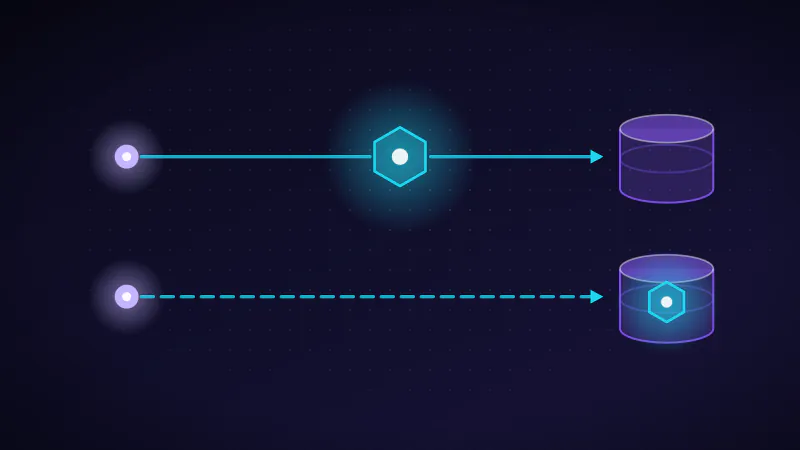
Running both is common and no longer means copying data. Fabric can mirror an Azure Databricks Unity Catalog: only the catalog structure is mirrored, the tables are read in place through shortcuts, and Power BI can report on them in Direct Lake mode. Engineering and machine learning stay in Databricks; Power BI and business users work in Fabric.
Microsoft documents what to expect. The mirror creates a SQL analytics endpoint over the Databricks tables and keeps schemas and tables in sync automatically when that option is on. Changes can take from a few seconds to several minutes to appear. Views and metric views are not mirrored, and external tables that are not in Delta format are left out.
This split works when ownership is explicit: Databricks owns pipelines, the curated tables and their quality; Fabric owns semantic models and reports. Without that boundary, teams rebuild the same logic on both sides, which is the outcome both platforms were meant to prevent.
How the cost models differ
Fabric is bought as a capacity: a fixed pool of compute units shared by every workload, $0.18 per CU-hour pay-as-you-go in East US, so an F64 costs $8,409.60 a month or $5,002.67 reserved for a year. Databricks charges consumption in DBUs per workload type, and the cloud infrastructure underneath is billed separately. One is easier to budget; the other is easier to attribute.
Neither list price answers the real question, which is what your workloads cost on each. Fabric smooths background work over 24 hours, so a capacity can absorb overnight jobs that would need a larger cluster elsewhere; Databricks lets idle compute stop entirely between jobs. The only reliable comparison is to run one representative pipeline and one representative report workload on each for a month and compare the bills.
Remember the licences either way. Power BI publishers need Pro or Premium Per User on both platforms, and below F64 so do viewers. Attributing and reducing platform spend is the subject of data platform cost optimization.
Governance: OneLake security and Purview vs Unity Catalog
Fabric governs through OneLake security roles, which reach rows and columns and apply across every engine, together with Microsoft Purview and sensitivity labels. Databricks governs through Unity Catalog, which covers data, models and functions and stays the same on every cloud. Both work; the better fit is the one your organisation already uses for identity and compliance.
In a mixed estate, decide which catalog is authoritative for each dataset. Mirroring a Unity Catalog into Fabric keeps Databricks as the source of truth for the tables, so access to the mirrored data should follow the Databricks permissions rather than be redefined in Fabric.
Microsoft Fabric vs Snowflake, briefly
Snowflake is a multi-cloud data warehouse with compute separated per warehouse, so each team's workload is isolated and billed on its own. Fabric is a broader platform with Power BI built in, on one shared capacity. Fabric can mirror a Snowflake database into OneLake, and OneLake tables can be read by Iceberg-compatible engines such as Snowflake.
Choose Snowflake when workload isolation, data sharing and multi-cloud portability lead the requirements, and Fabric when Power BI and a managed Microsoft platform do. The Snowflake technology page covers the warehouse side in depth.
Worked example · hypothetical organisation
Worked example: a Microsoft 365 company with a Premium renewal due
A 600-person company runs Azure Synapse dedicated SQL and a Power BI Premium P1 capacity due for renewal, with three data engineers, 450 report readers and one machine learning use case. Fabric is the stronger fit: the P1 becomes an F64 with the same compute, and the warehouse moves into the capacity it is already buying.
At list prices the arithmetic is simple. Giving 450 readers Power BI Pro would cost 450 × $14 = $6,300 a month. An F64 on a one-year reservation costs $5,002.67 a month, lets those readers use free licences, and also runs the pipelines and warehouse. Only the people who publish reports still need Pro.
The single machine learning use case does not justify a second platform yet. Fabric notebooks can train it next to the data; if it grows into a production machine learning programme, adding Azure Databricks and mirroring its catalog into Fabric is the next step, not a rebuild.
How to decide in a month, not a quarter
Pick one representative pipeline and one representative report, build each on both platforms for a month, and compare four things: the bill, the engineering effort, report performance and how governance would work in production. A month of measured evidence settles more than a quarter of feature comparison.
- Workload: one real pipeline and one real report, not a vendor demo
- Cost: the actual bill for the month, including licences
- Effort: the engineering hours to build and operate each
- Governance: how access, lineage and audit would work at full scale
Questions and trade-offs
Question
Is Microsoft Fabric better than Databricks?
Neither is better in general. Fabric is the stronger choice for Microsoft-centred estates where Power BI is the main consumer and a small team wants one managed platform. Databricks is stronger for multi-cloud estates, deep Spark and machine learning engineering, and governance that must be consistent across clouds.
Question
Can Microsoft Fabric and Databricks be used together?
Yes, and it is a common pattern. Fabric can mirror an Azure Databricks Unity Catalog, reading the tables in place through shortcuts, so Databricks handles engineering and machine learning while Power BI reports on the same tables from Fabric in Direct Lake mode.
Question
Does Fabric copy data when it mirrors Databricks?
No. For Azure Databricks, Fabric mirrors only the Unity Catalog structure and reads the underlying Delta tables through shortcuts. Changes can take from a few seconds to several minutes to appear, views and metric views are not included, and non-Delta external tables are left out.
Question
Is Microsoft Fabric cheaper than Databricks?
It depends on the workload. Fabric charges for a fixed capacity shared by every workload, which is predictable and absorbs overnight jobs through smoothing. Databricks charges per workload in DBUs plus cloud infrastructure, which is easier to attribute and can stop entirely when idle. Compare a month of real workloads on each.
Question
What is the difference between Microsoft Fabric and Snowflake?
Snowflake is a multi-cloud data warehouse with separately billed compute per warehouse. Fabric is a broader analytics platform on Azure with Power BI built in and one shared capacity. Fabric can mirror Snowflake data into OneLake, so the two are often used together rather than as strict alternatives.